Gyms
Gym Equipment Fault Reporting Software With QR Codes
How gyms can use QR codes to capture equipment faults, review reports, assign repairs and keep proof of fix records.
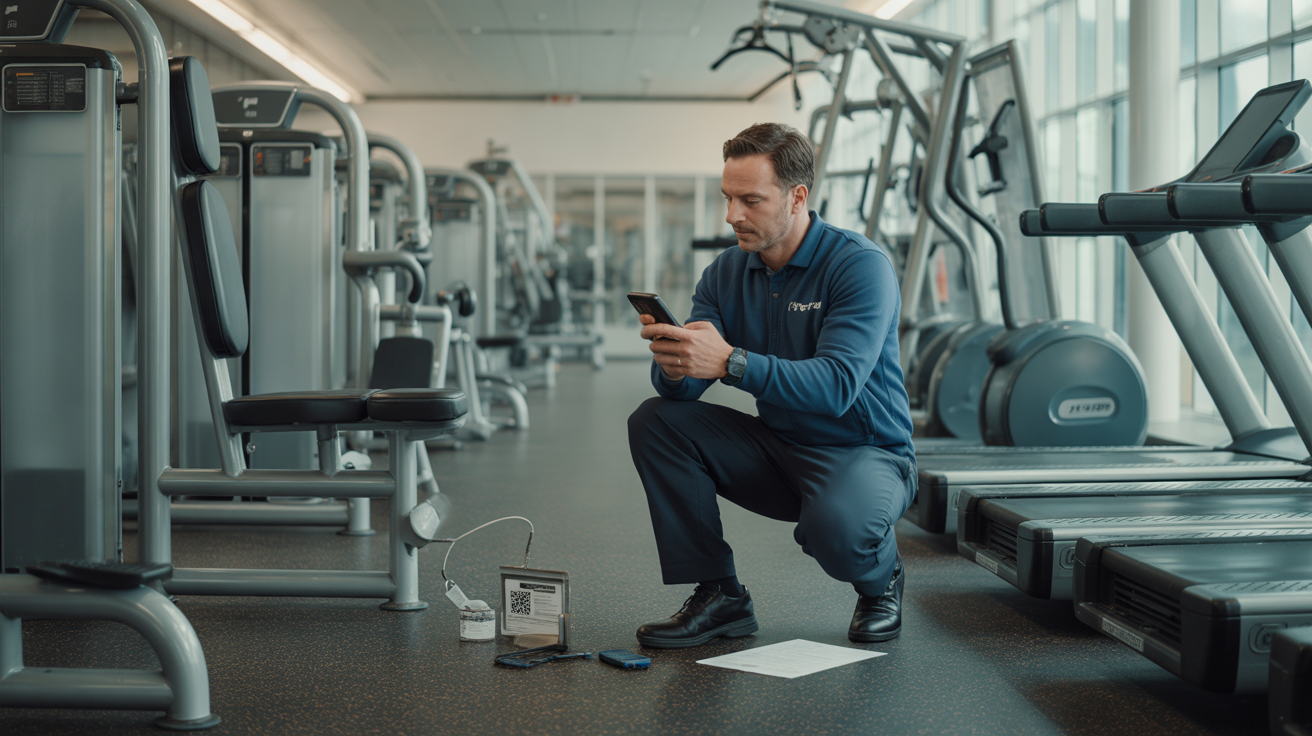
Gym equipment faults are awkward because they happen in the middle of a live space.
A treadmill belt starts slipping during a busy evening session. A cable machine feels rough. A rowing machine screen stops responding. A member notices a loose pin, tells someone at reception, and the message gets squeezed between memberships, towels, class changes and the next phone call.
Most gyms do not struggle because nobody cares. They struggle because the reporting route is too indirect.
Equipment faults need a short path from "something is wrong with this machine" to "this has been reviewed, isolated if needed, assigned and fixed". Gym equipment fault reporting software with QR codes gives members and staff that route without asking them to download an app or work out who owns the problem.
The QR code is only the starting point. The value is the record that follows.
Why gym equipment faults need their own workflow
Gym maintenance is not quite the same as general site maintenance.
A loose toilet-roll holder can wait until the next maintenance round. A damaged cable, unstable bench or faulty treadmill may need faster attention because people are actively using the kit. The team also needs to know exactly which machine is involved. "The treadmill is making a noise" is not enough when there are twelve treadmills in a row.
Good fault reporting should capture the equipment context at the source:
- which site the equipment is in
- which area, studio or gym floor zone it belongs to
- which machine, bench, rack or station was scanned
- what the reporter noticed
- when the report was submitted
That context is hard to reconstruct later from a notebook or WhatsApp message. It is much easier to capture while the person is standing beside the machine.
Put the report point on the equipment
QR issue reporting works well in gyms because the reporter does not need to search for the right form.
Place a durable QR label on or beside the equipment, then link that code to a short reporting page for that specific asset or area. A member, instructor, cleaner, personal trainer or duty manager can scan it with a phone camera and submit the issue in seconds.
The form should stay simple:
- issue category, such as damaged, noisy, loose, electrical, display, upholstery or safety concern
- plain description of what happened
- optional reporter name
- photos, if useful
The reporter should not need to choose the supplier, engineer, priority policy or maintenance budget. That belongs inside the team's workflow. The public or staff-facing form exists to capture a clear signal before it disappears.
For gyms with multiple sites, equipment-specific QR reporting also avoids one of the most common follow-up questions: "Which one do you mean?" The QR scan can carry the location and asset context automatically.
Review reports before they become jobs
Not every scan should become an assigned repair job immediately.
Some reports are duplicates. Some are vague. Some are useful but need a manager to check the equipment before calling an engineer. Some may be member feedback rather than a true fault. A good process separates the report from the approved job.
In SnagDeck, QR-submitted issues can land in a review inbox first. Managers can check the description, inspect the photos, compare the report with open jobs and decide what should happen next.
That review step keeps the live job list useful:
- genuine equipment faults can be converted into jobs
- duplicate reports can be removed or linked to the existing issue
- unclear reports can be rewritten before assignment
- low-risk observations can be scheduled instead of treated as emergencies
AI can help suggest a clearer title, summary, category, priority and next action from a messy report. It should not make the final operational decision. The owner or manager still reviews the issue and decides what happens to the equipment.
Make out-of-service decisions visible
When a piece of gym equipment looks unsafe, the most important decision is not which system stores the report. It is whether the equipment should stay in use.
UK gym safety guidance commonly points operators towards regular checks, prompt defect reporting, clear warnings and taking defective equipment out of use until it can be repaired by a competent person. Software cannot replace that judgement, but it can make the decision visible and recorded.
A practical equipment fault workflow should let the team track statuses such as:
- Reported: someone has raised a possible fault.
- Under review: a manager is checking whether action is needed.
- Out of service: the equipment should not be used.
- Assigned: a staff member, manager or contractor owns the repair.
- Fixed: the assignee says the work is complete.
- Closed: a manager has reviewed the evidence and accepted the result.
That status trail matters during shift changes. The morning manager should not have to guess whether the leg press is waiting for inspection, already booked with an engineer, or ready to reopen.
Physical signage still matters. A digital record does not stop someone using a faulty machine on its own. But the job record can tell the team when the issue was reported, who made the call, who was assigned and what still needs doing.
Reduce repeat reports for the same machine
Repeat reporting is useful once. After that, it becomes noise.
If five members scan the same bike because the resistance knob is loose, the team should not end up with five separate jobs. They need one clear fault record, plus enough visibility to know that more people have noticed it.
Duplicate handling is especially important in gyms because popular equipment gets scanned by different people throughout the day. Without a review step, the job board fills with repeated versions of the same issue:
- "Bike 4 resistance broken"
- "Resistance not working"
- "Spin bike issue"
- "Knob loose on bike near mirrors"
SnagDeck's duplicate detection can warn about possible duplicates before another issue clutters the queue. Managers can then keep the main job focused while still understanding that the problem is being noticed by members or staff.
That helps the team move faster and protects the maintenance record from becoming a pile of almost-identical reports.
Keep repair evidence with the fault
For gym equipment, "done" needs more than a tick.
A useful close-out record might include:
- what fault was reported
- when the equipment was checked
- whether it was taken out of service
- who was assigned
- what repair or adjustment was made
- whether a contractor attended
- photos before and after, where useful
- completion comments
- manager close-out
This is where informal tools start to fall apart. A message thread can show that someone mentioned a fault. It may not show whether the machine was isolated, whether the engineer attended, what they fixed, or who put it back into service.
SnagDeck keeps the report, job, comments, photos, checklist and proof-of-fix record together. That makes it easier to answer the basic operational question later: what happened with this piece of equipment?
Use the same record for checks and patterns
Reactive fault reporting is only one part of gym maintenance.
The longer-term value comes when managers can spot patterns. A treadmill that keeps returning to the job list may need a deeper service call. A free-weights area with repeated rack and bench issues may need a daily check. A studio with recurring audio or lighting faults may need planned maintenance rather than another one-off fix.
A structured QR and job history gives the team better questions:
- Which machines generate the most reports?
- Which faults keep returning after repair?
- Which areas need more frequent checks?
- Which contractor jobs are waiting for proof?
- Which issues take longest to close?
For routine work, SnagDeck can also support recurring maintenance templates with checklist items. That gives gyms one lightweight place for reactive fault reports and planned equipment checks, without turning every member or instructor into a full system user.
A simple rollout plan for gyms
Start with the equipment that causes the most friction.
That might be cardio machines, cable stations, plate-loaded machines, studio equipment, lockers or changing-room fixtures. Do not label every item on day one unless the team is ready to manage the volume.
A sensible first rollout looks like this:
- Pick one gym floor zone or one equipment type.
- Create QR reporting points for each machine or small equipment group.
- Test each code from an ordinary phone.
- Keep the report form short and mobile-friendly.
- Decide who reviews incoming reports during each shift.
- Agree when equipment should be marked out of service.
- Require photos or comments before closing higher-risk repairs.
- Review duplicate reports and repeat faults after a few weeks.
The process should feel obvious to the people using the gym. If a member has to read instructions for a minute before reporting a loose part, the system is too heavy.
What good looks like
A good gym equipment fault workflow should make the team more responsive without creating a noisy admin burden.
The reporter scans the code, adds the issue and leaves the team with the right location. The manager reviews the report before it becomes work. The right person gets assigned. The status is visible. The repair is recorded. The proof stays attached to the machine's history.
That is the practical promise of QR reporting for gyms.
Not a complicated facilities rollout. Not another inbox for staff to watch. Just a cleaner route from fault spotted to fault fixed.
SnagDeck is built for that route: report issues, assign jobs and prove it is fixed.